How to redeem a Muse invite code
In Muse, open Settings → General → Redeem invitation code. Enter LT5RJS within 48 hours of joining. The referral offer is subject to Muse’s eligibility rules and available redemptions.
1. Sign in to your Muse account
Open Muse’s official signup page and complete its account setup. This website is an independent guide: it does not create your account, collect your card details, or redeem the code for you.
If you see a waitlist or a regional restriction, follow Muse’s instructions. A token referral code is not a promise of access. See my personal setup notes from Bangalore for what I experienced, rather than a guarantee that the same steps work everywhere.
Already waitlisted with your email? Read the note on trying another email or a Gmail alias. Neither guarantees access.
2. Find Settings
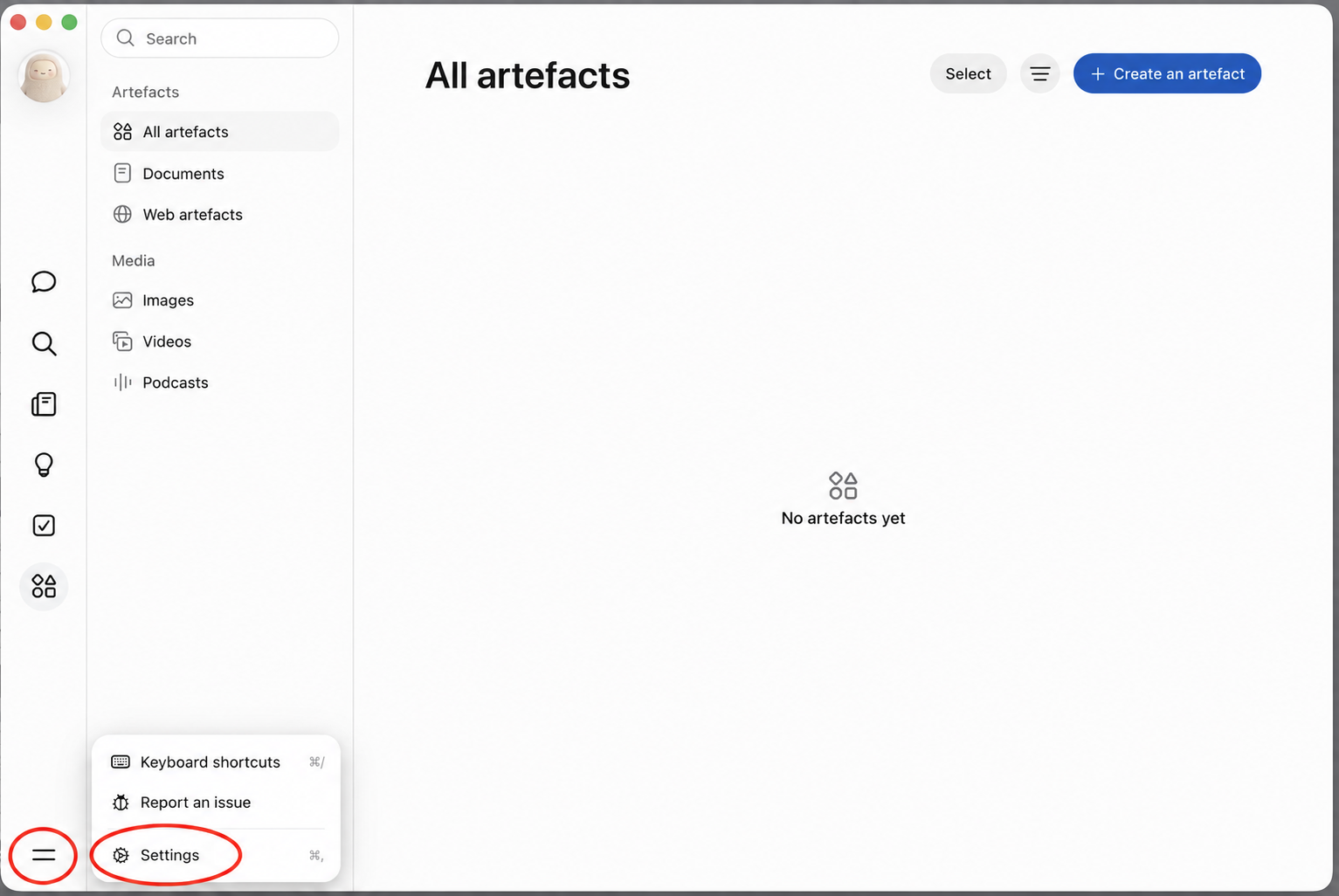
On the interface shown below, open the two-line menu in the bottom-left corner, then select Settings. The red circles identify the two controls. Mobile layouts and translated labels can differ.
3. Open General and redeem the code
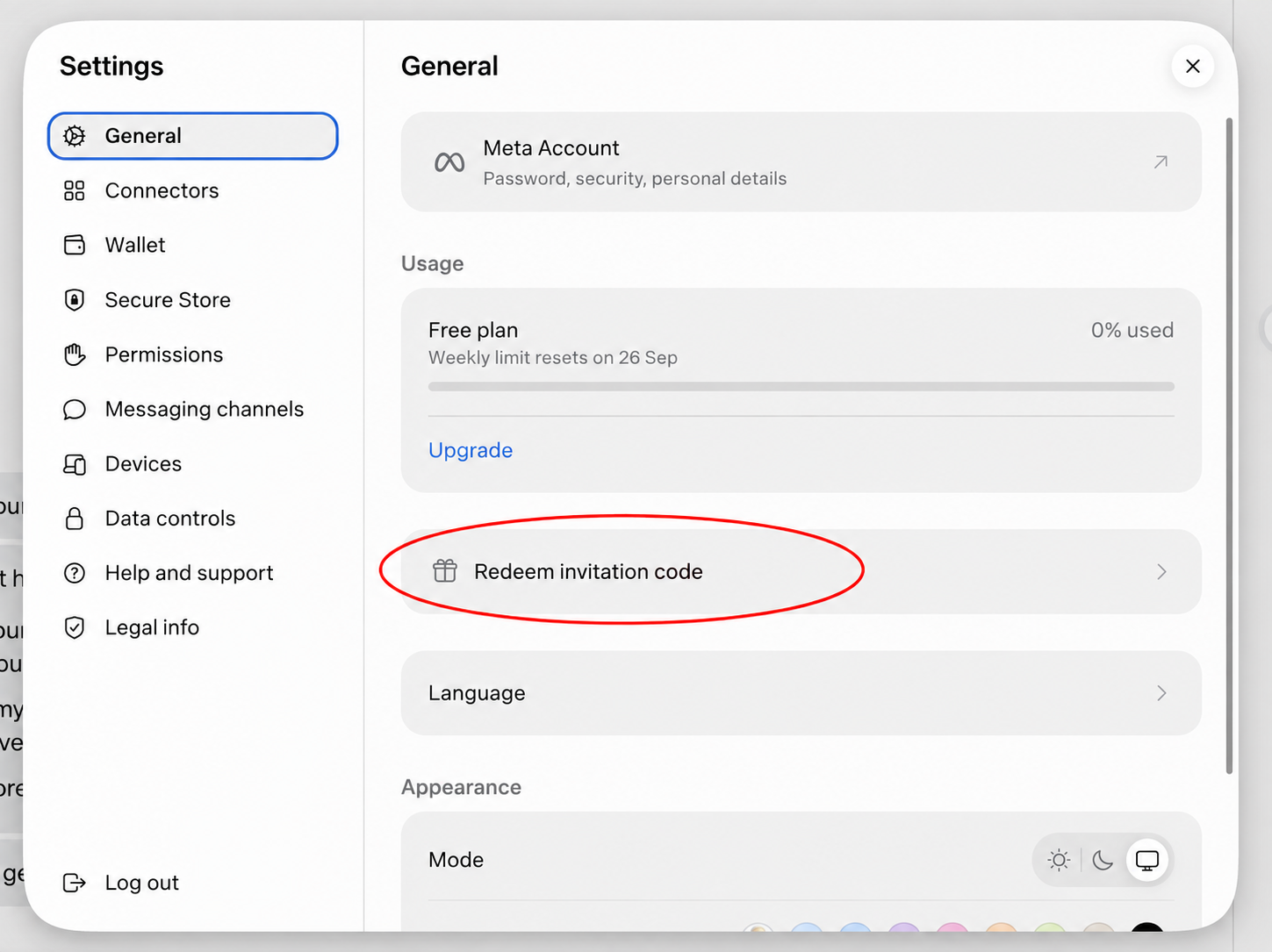
Choose General, then Redeem invitation code, below the Usage area in this screenshot. Some versions may instead say “Have an invite code”. Paste LT5RJS, check for extra spaces, and follow the confirmation shown by Muse.
What reward does the code give?
The invitation message supplied by the code owner says both people receive 1 billion Muse tokens for an eligible redemption within 48 hours of joining. I receive the same referral benefit. The current offer and acceptance shown inside Muse take precedence over this page.
How do I know it worked?
Check Muse’s redemption confirmation and any reward or usage update it shows. Copying a code on this website does not confirm that it was accepted. This site cannot see your account, confirm your reward, or check remaining uses in real time.
If the option is missing or Muse rejects the code, use the troubleshooting checklist. Keep the exact error message, but don’t share personal account or card information publicly.
Sources: the code owner’s invitation message and screenshots, plus the official Muse account flow. Screenshots are annotated for clarity.