Muse invite code: LT5RJS
Join Muse and use this code within 48 hours. If your account is eligible, we’ll both get 1 billion Muse tokens.
Join Muse ↗ Outside the US or Canada? Start here.Remaining code uses aren’t verified live. Muse confirms eligibility when you redeem.
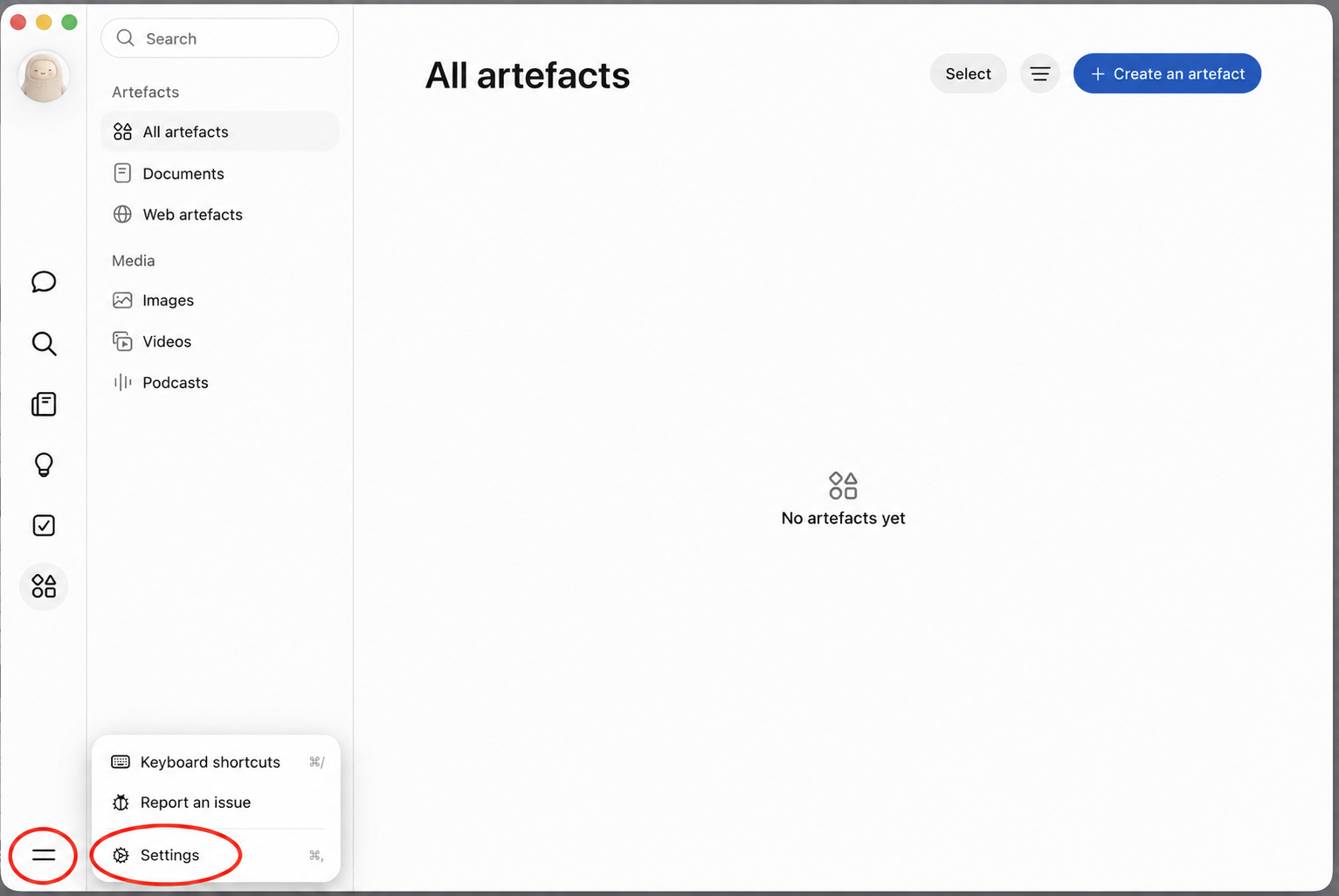
First, find Settings
Click the two-line menu at the bottom left of Muse, then choose Settings. Both are circled below.
Where to paste it
Where do I enter a Muse invite code?
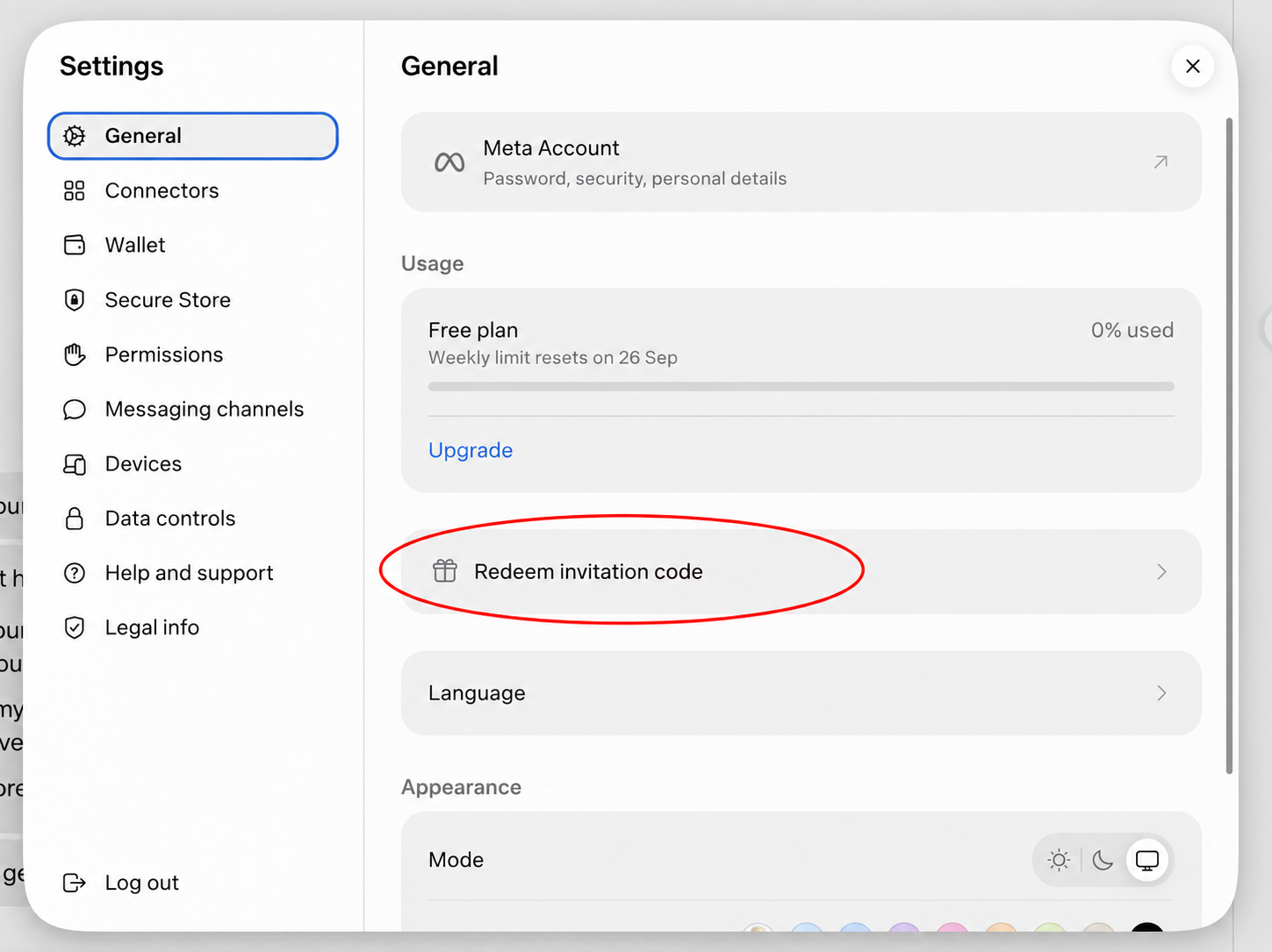
Open Settings → General → Redeem invitation code. Enter LT5RJS within 48 hours of joining.
- 1 Open Muse Settings
- 2 Choose General
- 3 Tap “Redeem invitation code”
- 4 Paste LT5RJS
Accessing outside
the US & Canada
I’m based in Bangalore. Here’s the setup I used with a US VPN. This is my experience, not a guarantee that Muse will be available for every account or region.
-
Connect to a US VPN server
Install a VPN, choose a United States location, and connect before opening Muse. Keep it connected throughout your first login and setup.
Free plans have limits and can change. Neither provider is affiliated with this page, and a VPN doesn’t guarantee access to Muse. Follow Muse’s eligibility rules.
-
Create your Muse account
Outside the US or Canada? Check that your US VPN is connected before registering. Then go to muse.ai, click Try Muse, and follow the signup steps.
During my setup, Muse asked for a credit card to verify my age. If prompted, complete the verification in Muse’s official signup flow. Read any payment or authorization details before continuing. This page never asks for your card details.
-
Add the invite code
Once logged in, go to Settings → General → Redeem invitation code (sometimes labelled “Have an invite code”). Paste LT5RJS within 48 hours of joining.
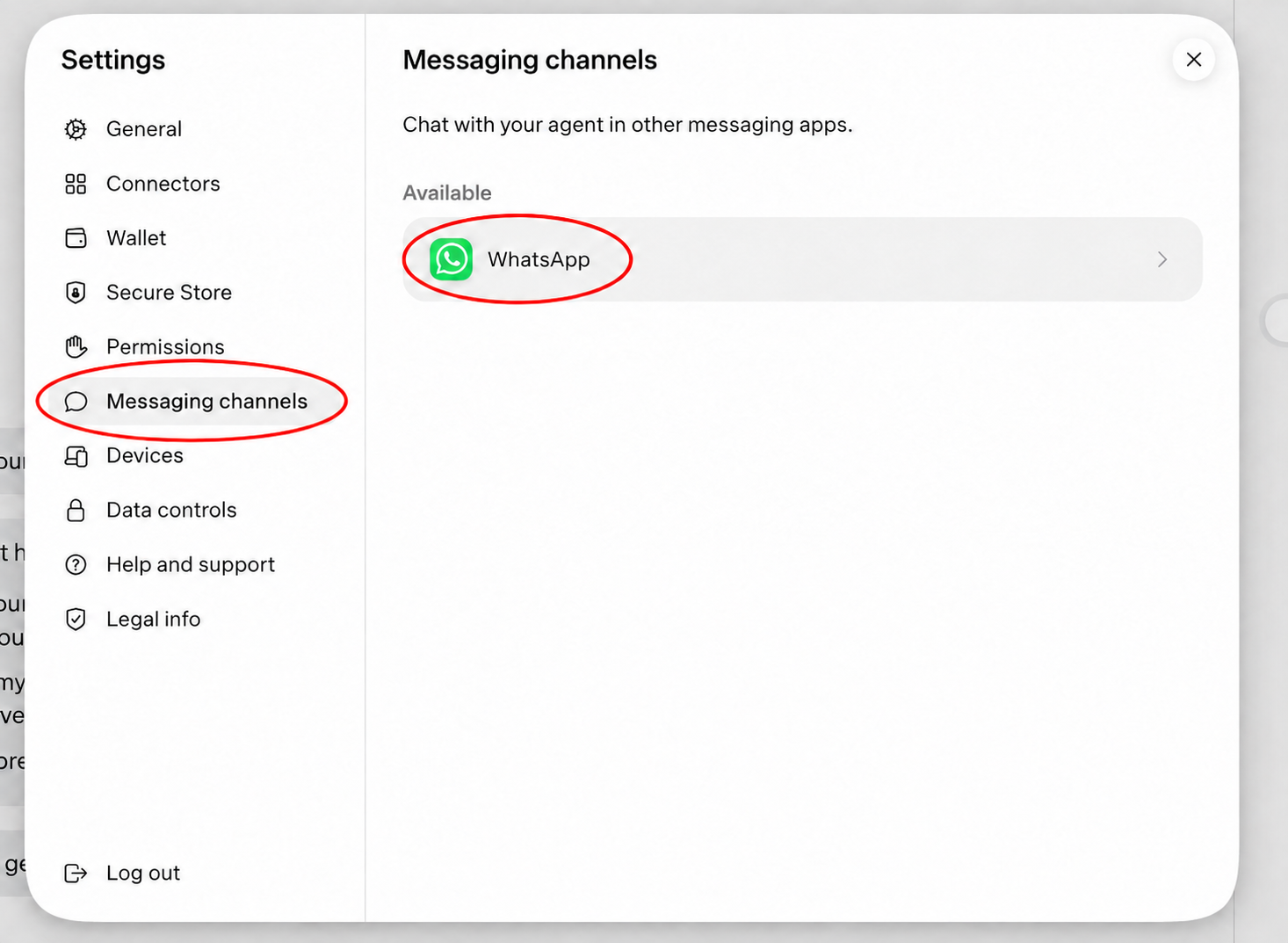
How do I connect Muse to WhatsApp?
In Muse, go to Settings → Messaging channels → WhatsApp to start setup.
Follow the setup prompts to see your QR code. Open WhatsApp on your phone, scan it, and follow the connection steps shown by Muse.
Only scan the QR code shown inside your own Muse account. There’s no WhatsApp setup code on this page.
The app, VPN &
a small language quirk
Want the Muse app?
You can download it if it’s available in your app store. Follow the download links from Muse’s official website.
A VPN alone won’t change your store region. Availability depends on your Apple Account country or Google Play country, so the app may still be unavailable. You can try Muse in your browser or through WhatsApp after linking it, subject to Muse’s access restrictions.
Keep the VPN on for first-time setup
Stay connected to a US server for your first login and setup, including in the app. Once you’re logged in, you can try turning the VPN off. Whether it keeps working may vary by region and account.
Quick answers
What is the Muse invite code?
The code shared on this independent page is LT5RJS. We cannot verify remaining redemptions in real time.
Where do I paste it?
Open Muse, then go to Settings, General, and Redeem invitation code. Some versions may say Have an invite code.
How long do I have?
Redeem it within 48 hours of joining Muse.
What do I get?
The referral message says eligible redemptions give both people 1 billion Muse tokens. Muse determines eligibility and the final reward.
Does this bypass a waitlist?
This page shares a token referral code, not a guaranteed access pass. Follow the access or waitlist instructions shown by Muse.
Why isn’t my code working?
Check the 48-hour deadline, exact code, and any error shown by Muse. We cannot confirm your eligibility or remaining code uses from this website.